Bulk Video Creator and Editor
Seamlessly turn Adobe After Effects templates into a series of performable videos for your campaigns.
Seamlessly turn Adobe After Effects templates into a series of performable videos for your campaigns.
Upload your template through our user-friendly dashboard. You can upload files in various formats, including .aep, .mogrt, and .zip. Keep in mind, for .zip files, place all of your media and audio components within "Footage".
You can add custom font files (.TTF file type) to keep your videos on brand. Nexrender features a useful Font Manager that allows you to upload all the custom fonts you need to make your batch video editing process on point.
With Nexrender, select which AfterEffects layer you wish to change and what you want to replace it with. You can edit nearly any template part and add personal notes. You receive a batch of videos, each tailored to your specifications.
With a click of a button, Nexrender starts creating hundreds of videos in a matter of moments, following your instructions row by row. Thus, a batch of videos is created from a single AfterEffects template.
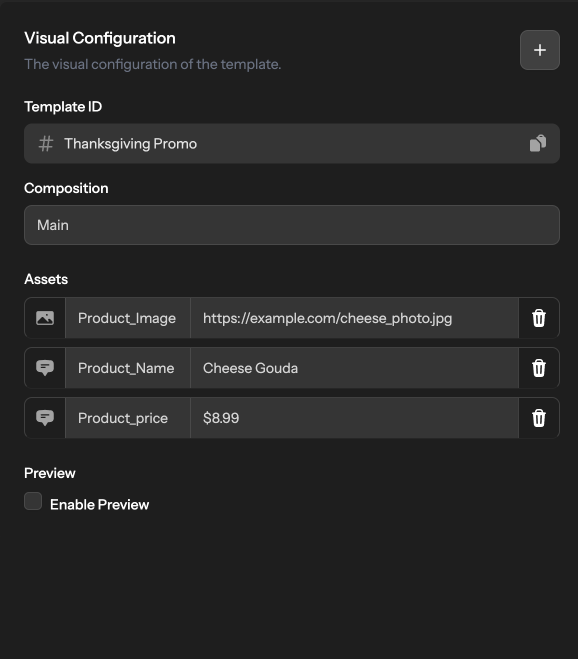
Nexrender automates the video editing process, saving your creative team time, so that it can be used for strategy development. Editing volumes of text, images, subtitles, and other AfterEffects template layers in bulk takes up to 65% less time with automation. An amazing advantage for last-minute changes that happen so often.
Manual editing leaves room for mistakes, no matter how diligent your creative team might be, especially when dealing with hundreds of videos that need to stay uniform. The online audience expects crisp visuals, otherwise you won't gain their trust. With Nexrender, you keep consistent quality no matter how many changes you need to make or how many videos you need to produce at once. You can satisfy the needs of dozens of different markets with just one click.
When extra work hits, it often requires additional hands onboard. With the Nexrender bulk video editor, you don't need to hire more people or look for freelancers. Manual editing at scale is not a cost-effective way to produce videos for any purpose. Moreover, you don't have to spend money on new machines that you would need to buy, so you could produce the required number of videos on time.
Nexrender Overview
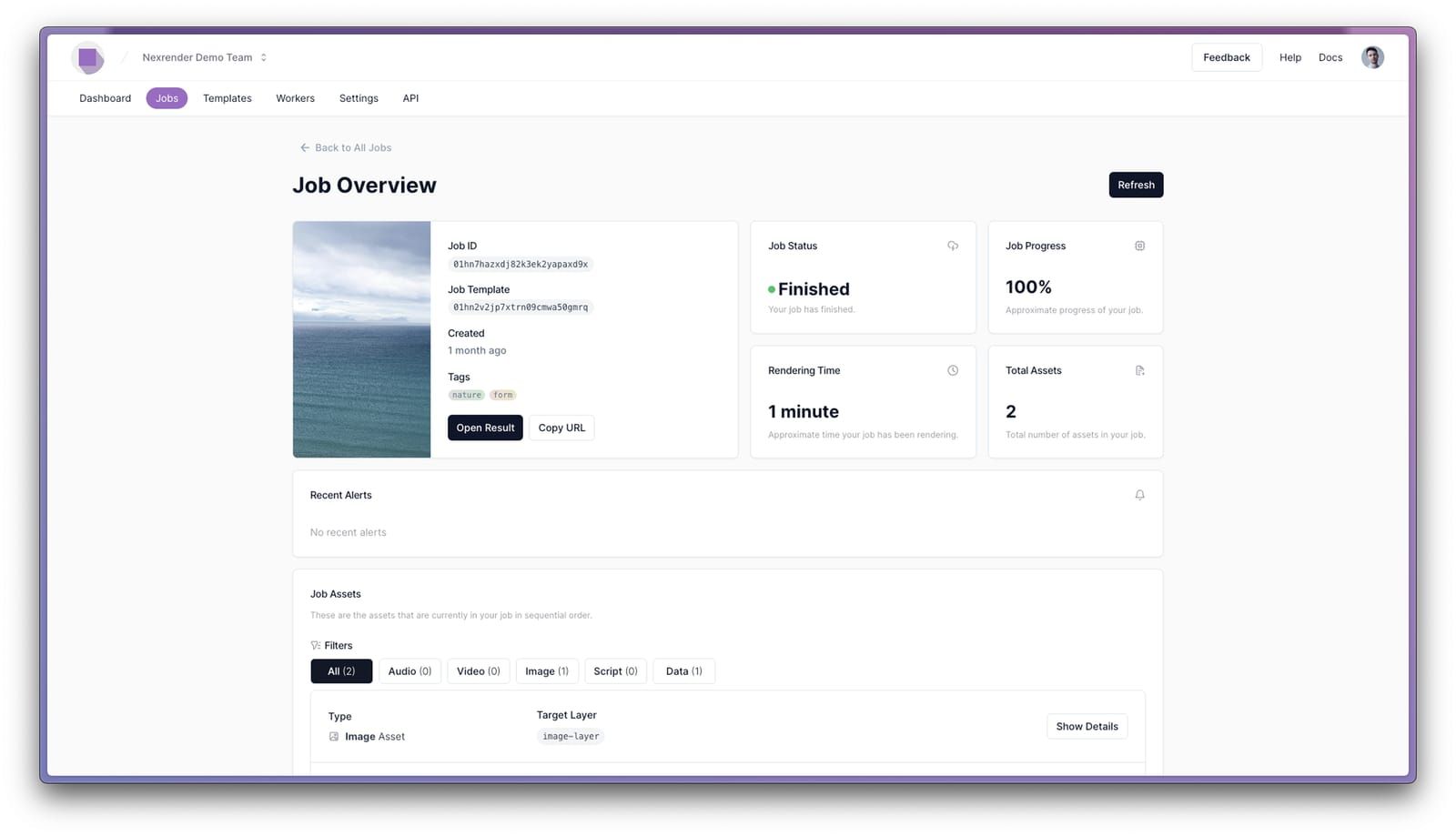
Imagine launching a campaign on Instagram across 20 different countries. This means you need to create hundreds of videos with localized prices, language, and even product features. With a single AfterEffects template, Nexrender allows you to create hundreds of customized videos.
Personal sales videos convert better, but it takes time to edit videos for the entire mailing list. Nexrender integrates easily and pulls data from your CRM, and creates a personalized message based on the AfterEffects template you provided. Batch editing is an optimal solution for cold outreach and upselling because it cuts down production costs.
On average, a brand should run a few dozen social media videos per month on each platform it uses. Different social media apps require custom aspect ratios, different captions, or a call to action. Bulk video editing lets you create hundreds of videos for different platforms from a single source video.
Online product catalogues require high-quality and consistent visuals. Changing product price, image, or specs takes time, especially when dealing with a large product base. The best thing about Nexrender is that it integrates with your spreadsheet, pulls product data, and applies changes to each individual product video.
Companies use training, onboarding, and reporting videos regularly. The issue is that these videos need to change certain information from time to time. Bulk video editing lets you create a set of videos for each department across a wide range of subsidiaries, each with the required information.
Yes. Before connecting your template to Nexrender for automation, you need to create a template in After Effects. Once it's ready, you may need to tweak it a few times to ensure everything scales and displays correctly for different text lengths, media types, and aspect ratios. It's especially important to test this at the start so that when you're ready to produce a large batch, the template works well with different-sized inputs.
With Nexrender, you can choose virtually any component of your video and switch it up with something different. You can swap text, images, logos, audio layers, colors, or videos. You could produce a series of videos with completely different content, with a single template as a source.
Nexrender lets you create as many videos at the same time as you need, whether it's a few or tens of thousands of personalized versions from a single template. Its cloud-based infrastructure spreads the workload automatically and scales resources as needed, keeping the process smooth, fast, and reliable no matter how many videos you're producing.
You could produce videos in .mov or .mp4 format, which are common and usable with every mainstream medium. Nexrender creates HD to 4K videos with ease and does it in aspect ratios like 4:3, 16:9, 1:1, 9:16, or any other. In short, it covers every popular social media platform and works great on regular displays such as those on laptops or TVs.
Nexrender creates bulk videos with the push of a button; however, it still requires someone to set up instructions. This is easy to do through the Nexrender dashboard, where you define which elements to swap and how many videos to generate. Even if your team isn't technical, it's possible to get started quickly. Plus, our support team is ready to help whenever you need assistance.