nexrender

Dynamic Video Ads Creator

Create dynamic video ads automatically from After Effects templates, customizing image, text, and audio content for each target group. Produce thousands of personalized ad versions that increase audience relevance and engagement.
What is dynamic video advertising?

Dynamic video ads are a powerful tool in the advertising world. They automatically tailor content for each user, adapting data like demographics, location, product feeds, and browsing history.

Demographics

Age, gender, location, language

Product Feeds

Prices, inventory, availability

User Behavior

Browsing history, interests

Location Data

City, country, timezone

How it works

1

Access Nexrender and upload your AE template

Create an After Effects project that will serve as the basis for your dynamic ad. Save the project as .aep, .mogrt or zip.

Log in to your Nexrender account or get a trial here. In the Dashboard, upload your primary After Effects template.

2

Upload custom fonts

In the Dashboard, go to fonts management, and upload all TTF files of fonts used by your ad.

3

Connect the template with feed data

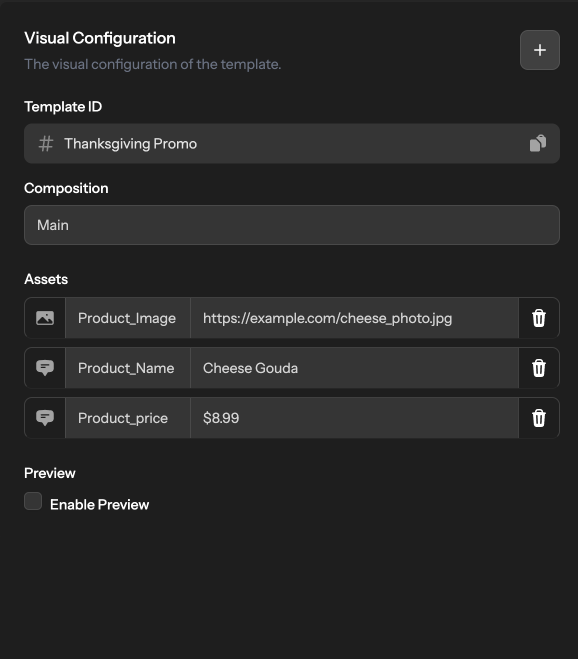
In your dynamic video ads, you can automatically update data like product name, image, price, and CTA directly in the selected template.

4

Start creating ads at scale

Choose the template and enter the replacement parameters (text, images, colors, audio) for each ad you want to generate. Start the render job using the API. You can generate a single video or thousands of different variations of the same ad.

5

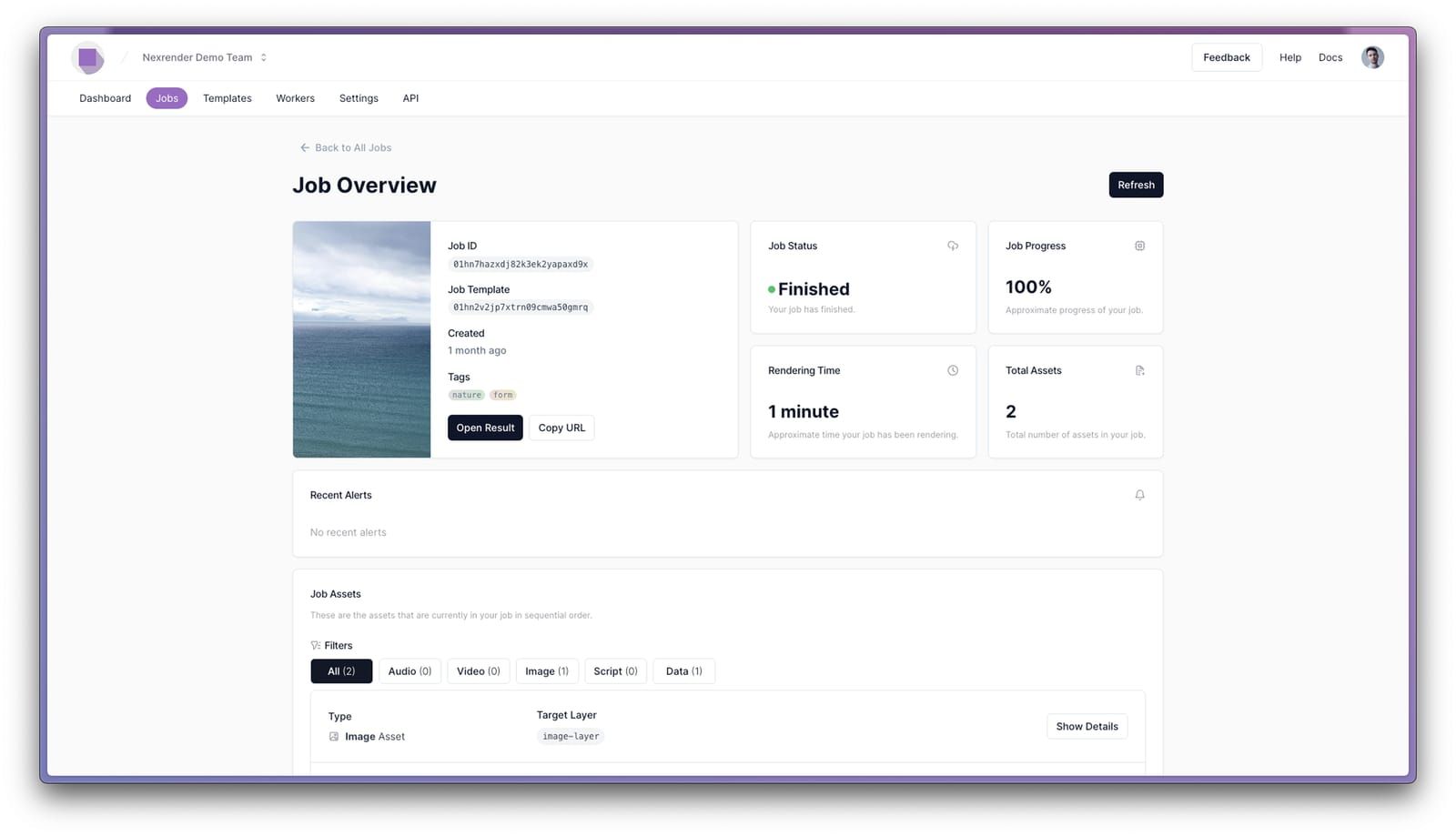
Check the results

Check that all elements render correctly and look as you imagined. Download your dynamic ads if needed.

Nexrender Dashboard
Nexrender Dashboard interface showing video editing tools, JSON editor, file upload areas, preview panel, and professional UI design
Template mapped out successfully
Just now

Why make dynamic video ads?

Research has shown that:

4.8×
more conversions

Dynamic video ads achieve 4.8 times more conversions compared to generic ads.

32%
ROI increase

Dynamic creative optimization in video ads increases ROI by up to 32%.

35%
conversion rate boost

Personalized product recommendation videos boost conversion rates by 35%.

38%
higher watch time

Personalized video ads increase average watch time by 38%.

+26%
global campaign reach

Multi-language dynamic video ads increase global campaign reach by 26%.

Benefits

Benefits of dynamic video ads

Dynamic video ads perform better by automatically adapting to each viewer’s interests, behavior, and context, creating more meaningful connections and delivering stronger results.
Nexrender Dashboard showing dynamic video ad creation
Greater relevance and engagement
Dynamic visuals lead to significantly higher attention spans, longer watch time, and faster CTR. They adapt to the viewer, displaying content that matches their interests and behavior.
More conversions and ROI
Personalized ads drive up to 4.8x more conversions and 7x higher return on investment (ROI). Relevant content encourages users to act - whether it's a purchase, sign-up, or download.
Save time and resources
Generate dozens of versions automatically from a single template. The campaign starts faster and saves on additional design and editing.
Precise audience targeting
By considering demographic, geographic, and behavioral data, dynamic ads target users most likely to convert. Such precision reduces advertising costs and increases campaign effectiveness.
Real-time update capability
You can change ad content in real time - prices, discounts, product availability, or seasonal messages. This helps keep your brand current and aligned with market changes without re-rendering the entire video.

How to target your ads?

Follow these three steps to precision targeting

1
Collect

First-party data

Use the information you already have about your users. Pay attention to purchasing history, product reviews, or previous interactions.

2
Combine

Combine demographic and contextual data

On platforms such as Google Ads or Meta Ads Manager, you can easily target your audience by their location, age, languages, gender, and even current interests. Combining these characteristics with real-world user behavior makes the ad much more relevant.

3
Optimize

Use automation and A/B testing

Dynamic video ads let you test multiple versions of the same video with different messaging, images, and CTAs. This reveals what works best for a given audience.

Types of dynamic ads you can make

Product feed ads

These ads are automatically generated displays of the catalogue, including price, description, availability, and photo images. They are especially good for e-commerce, since they allow video content to be tailored to a user's purchasing behavior.

Event-triggered video ads

The video is generated when a user takes a specific action - registers, leaves a full cart, or starts trial. This increases the chances of a return and conversion because the content is ultra-relevant.

Location-based ads

Video content is customized based on city, country, time zone, or even local weather. Brands can show the nearest store or seasonal sales.

Demographic-based ads

Dynamic video content changes according to the audience's gender, age, language, and interests. It shows the brand's accuracy and saves it from producing multiple versions for its target audience.

Behavior-based video ads

These ads respond to search history, previous purchases, pages visited, and wishlist items. The user receives a video that directly reflects their interests and purchase intent.

Real-time data video ads

Elements change according to current data - prices, inventory, and trending information. Brands stay up to date without manually updating campaigns.

Customer Stories

Kargo video ad production

Customer Case Study

How Kargo Scales Up Video Ad Production with Nexrender

Kargo, a marketing automation pioneer since 2003, uses Nexrender to automatically render After Effects templates at scale. Their platform generates millions of video ads efficiently, cutting down manual work and significantly reducing marketing costs.

Read the full case study →

Spotify video automation with Nexrender

Customer Case Study

Automating Content with Nexrender: Spotify's Approach

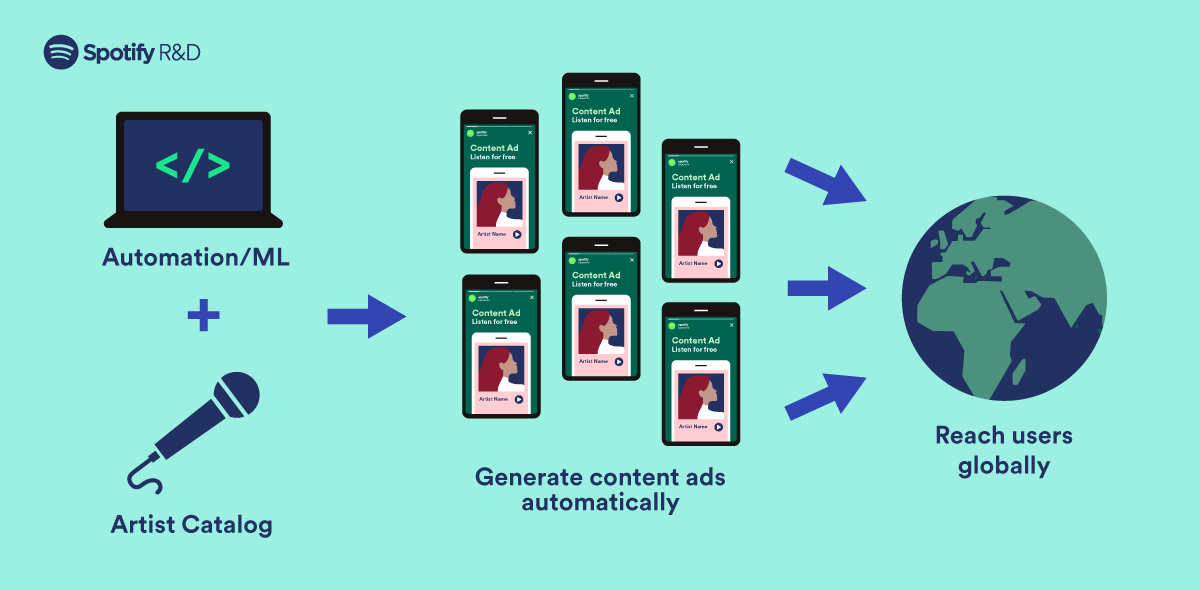
Spotify utilized Nexrender to automate creation of video materials for performance marketing campaigns. Their team generated thousands of customized videos for different regions, languages, and artists—enabling hyper-localized global advertising campaigns.

Read the full case study →

Frequently asked questions

Nexrender allows you to create ads for all platforms. There are Meta (Facebook and Instagram), Google/Youtube, TikTok, LinkedIn, X, as it generates standard video formats such as MP4 and MOV. You get a final render that matches the specifications of these networks so that you can upload it directly to your ad manager.

Yes, you can connect your product catalog or feed to Nexrender using the API, so that ad elements are automatically inserted into the After Effects template. When the feed is updated, Nexrender automatically generates new video variants, enabling the mass, fully automated creation of dynamic ads.

That's right, in Nexrender, you can include voiceovers, subtitles, and product tags by defining them as placeholders in the AE template. The system will automatically insert and adjust them during rendering, so that each generated video version contains the appropriate content.

Costs are based on several parameters: the amount of rendering, the speed at which you want the video to be delivered, the number of parallel renders, and potential requests for additional plug-ins or specific effects. Pricing is flexible - you pay for what you spend.

Of course, there is a 14-day free trial, which allows you to try out the basic features of Nexrender before deciding on a paid plan. You can book a demo version at this link and try uploading templates, replacing elements, and running renders, and see how the platform works.

56,763,315 🎬 Videos Created

* No credit card required