Personalized Sales Videos That Build Performance
Transform After Effects templates into thousands of personalized sales videos, without manual editing.
Transform After Effects templates into thousands of personalized sales videos, without manual editing.
The Nexrender dashboard allows you to simply pick an After Effects template that you think will make the best video for sales. You can pick between .aep, .mogrt, or zip file types.
In case you need a specific font used in After Effects, use the Font Manager feature to add font files (TTF) that you wish to use for rendering.
Pick those After Effects elements that you wish to change. It could be image layers, colors, text, or effects. Configure the changes according to your sales needs.
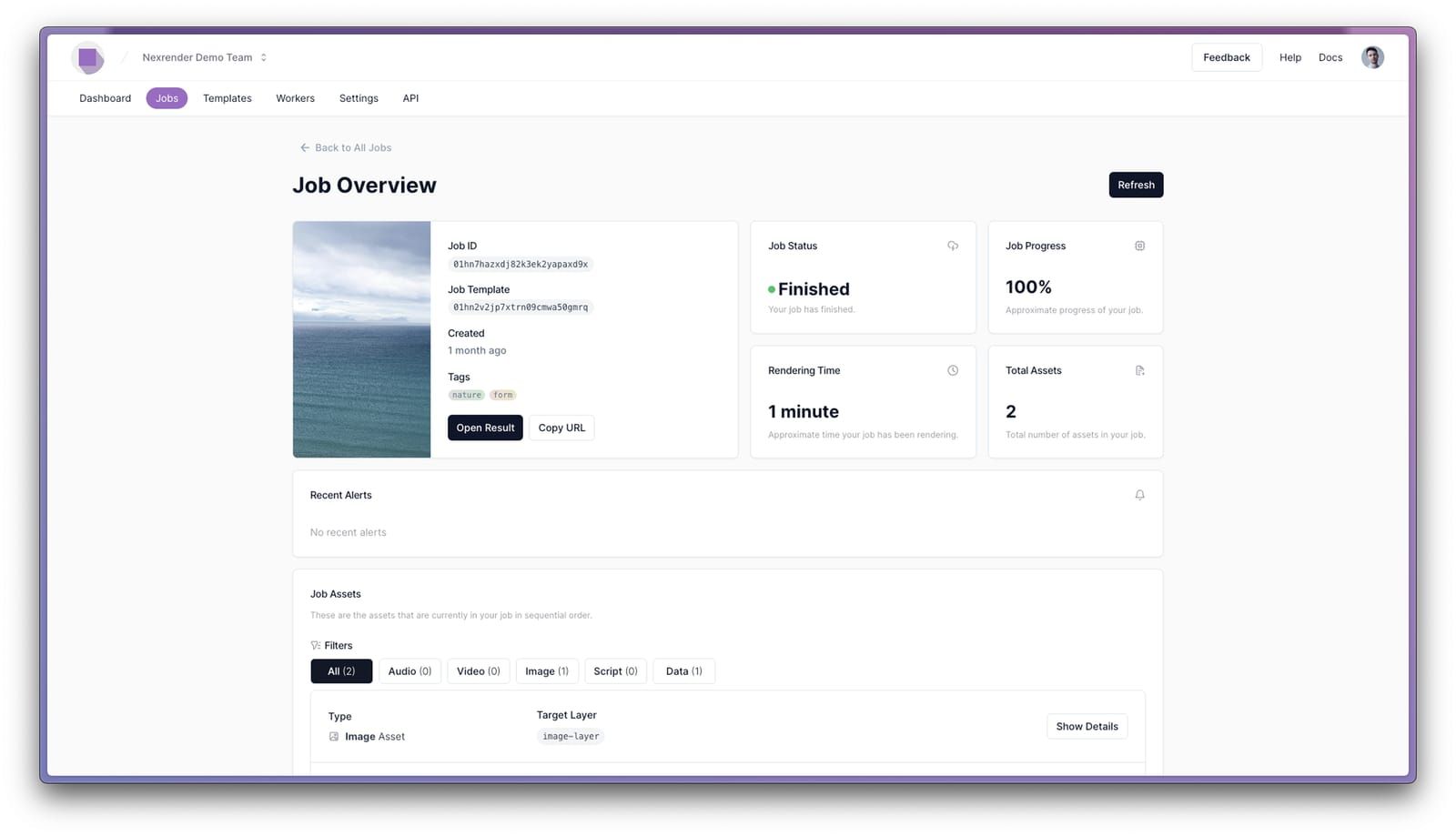
You can start rendering through the web interface or API, with a click of the "Run" button. Just make sure to set up all parameters before you start rendering.
When the rendering process is complete, you can analyze the results and download the newly rendered sales video or bring it back for further adjustment.
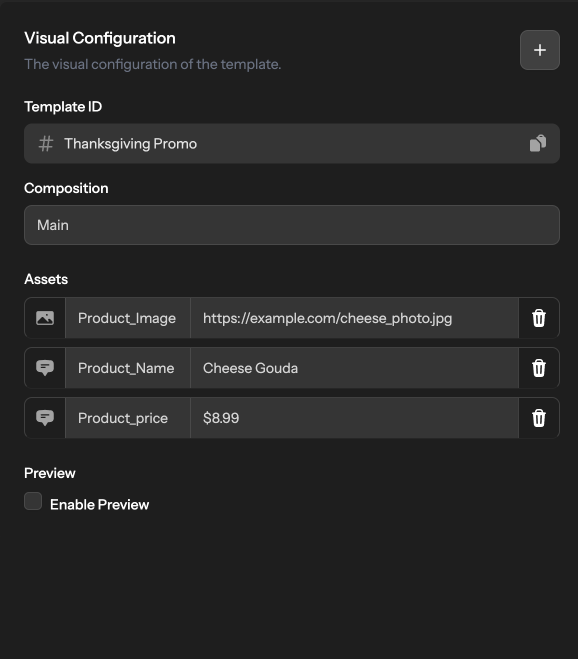
Personalized sales video software like Nexrender creates videos that resonate with the audience on a personal level. This means that the viewer is more likely to get interested in that content. According to experts, personalized sales videos boost engagement by eight times, compared to generic solutions.
Trust is imperative for any business to thrive. With personalized sales videos, the audience receives messages that speak to them directly, by name. More than that, with Nexrender, you can implement consumer habits into the production process and let the audience know that you value their needs and habits.
With Nexrender, you have more than a sales video maker; you have a way to increase your sales at scale. Render thousands of personalized videos at once using specific user data, producing content with a high conversion rate. Companies with personalized sales videos see three times higher conversion rates than those using generic ones.
Benefits
The audience is more likely to pay attention to a video if it appears to be about them, up close and personal. These types of videos are mainly used to revive old customers or simply to run an account-based marketing campaign. With Nexrender, making these types of videos is easy with just a few clicks.
This type of sales video content, when personalized, holds great conversion value. Mainly developed thanks to the user's past behavior, interaction with the product, or the most interesting product features. What makes these videos work better than their generic counterparts? The fact that the demo shows those features that resonate with the viewer.
In most cases, customers will refuse an offer because they can't differentiate those aspects of the product that relate to them, the pricing is not clear, and the overall content is just too general. Personalized proposals or quotes allow you to seamlessly create individual offers, tailored exactly to fit the needs of each viewer.
These videos are an efficient way to increase the value of your service, without extra investment. Onboarding and welcome videos are easy to produce; they require basic user information such as their name, plan details, and first steps. With nothing more than these three pieces of information, you create a professional-level service.
These types of videos are an effective marketing method for those users who need a little stimulation to keep using the product or choose a plan that would work even better for them. One could deliver these videos to customers who still have unpurchased products in their carts, who are at the end of their trial period, or have reached a certain milestone.
These videos are an easy way to say thanks and build real connection with your users naturally, consistently. They can be sent after a call, demo, purchase, or key moment to show appreciation and remind people they’re valued. A short, personal message leaves a impression, keeps engagement high, and helps start the relationship on solid ground.
Once your After Effects template is ready and hooked up to Nexrender, creating a video usually takes anywhere from 2–3 seconds to a few minutes, depending on the complexity of the template. For large batches like hundreds or thousands of videos, the total time will depend on video length, your desired turnaround, and the plan you've chosen. Nexrender adjusts to your needs, so you can scale production without being limited by the number of videos.
In short, you could personalize virtually any part of any given After Effects template. Nexrender, as a sales video creator, could personalize text, graphics, audio, or data-based elements. This means that you can edit any component that you need to present in a unique way.
There is no immediate danger for your business if you use personalized videos for B2B outreach. It's important to follow rules and best practices on online marketing and data usage. Therefore, use any publicly available data, including basic company information, recent online activities, interests, and core industry values.
Yes, you can send out personalized videos through outreach tools that you already use. However, it is important to understand that Nexrender automates rendering but not the outreach process itself. For this, you should create a workflow that includes video rendering in Nexrender, pushing those videos through automation software such as Zapier or a similar tool, and sending them via outreach software such as HubSpot or Salesloft.