Create Personalised Videos at Scale
Generate thousands of personalized videos by uploading an Adobe After Effects template. Replace text, images, audio, and other elements, and render on a large scale.
Generate thousands of personalized videos by uploading an Adobe After Effects template. Replace text, images, audio, and other elements, and render on a large scale.
Sign in to nexrender.com. In the Dashboard, upload your After Effects template with or without the assets. It can be .aep, .mogrt, or zip.
In Font Manager, upload the TTF file you use in AE. This will make the fonts available when rendering in the Cloud.
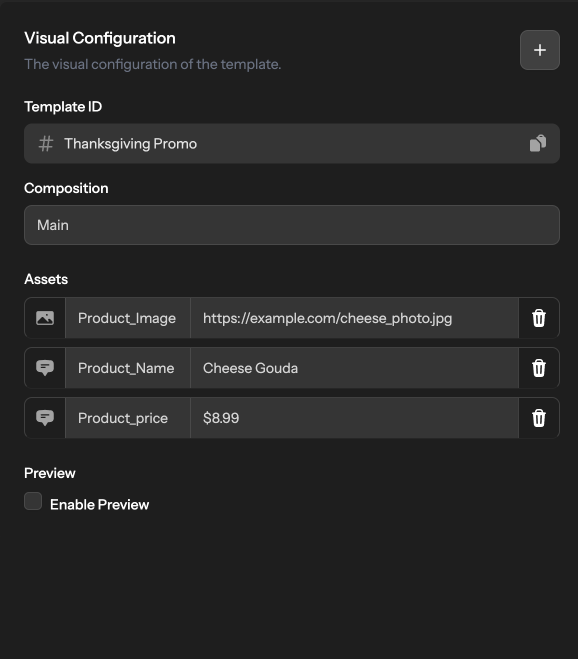
Choose the dynamic layers that you want to swap - text, images, colors, and effects. Configure them as shown in the example on the right.
Click ‘Run’ and create a new render job based on the replacement parameters you defined earlier. Start the rendering process via the Dashboard or the API.
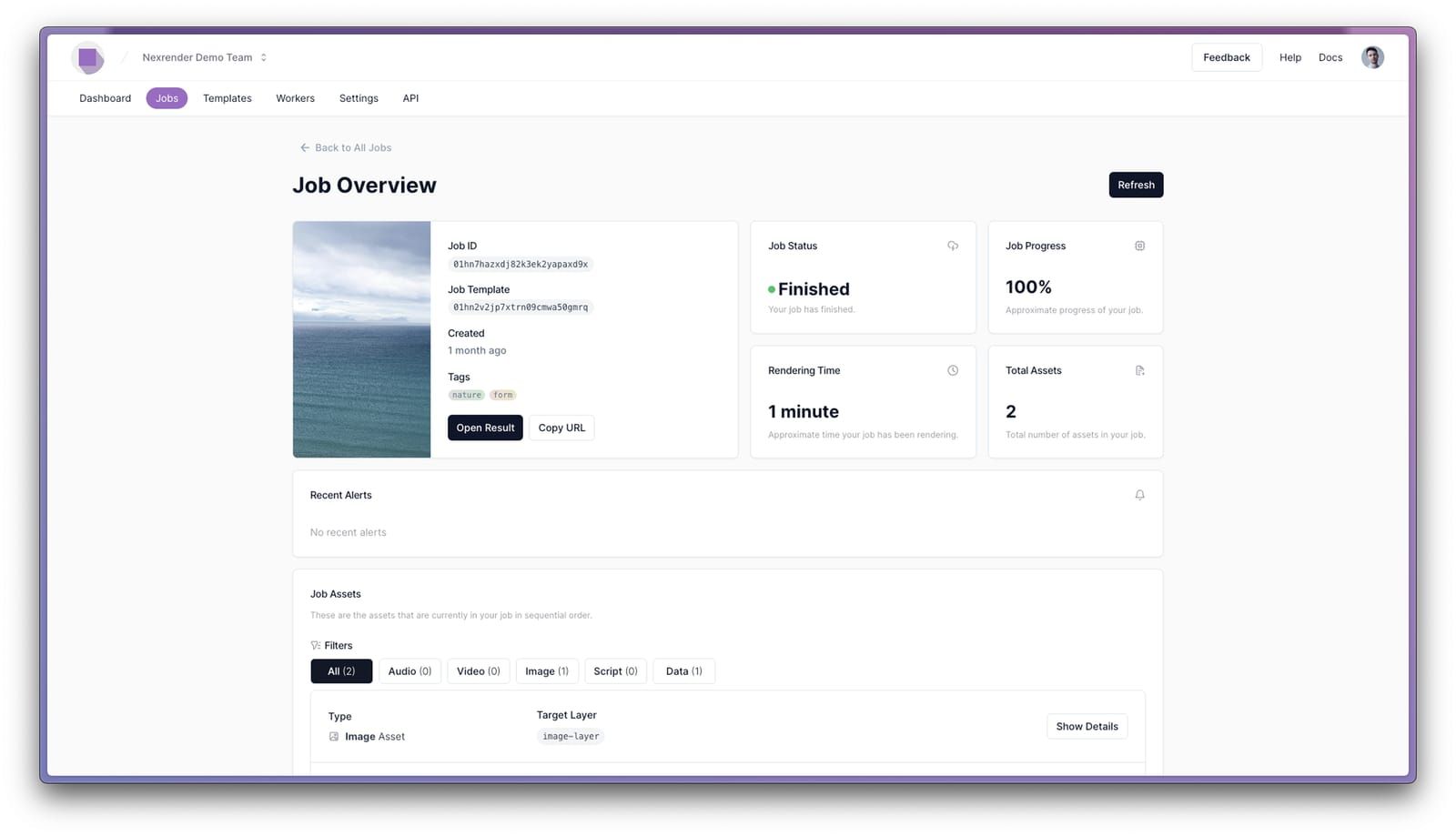
When the rendering is complete, the Dashboard displays the status ‘Finished’ and a link to download the output video. Review the video and check whether the personalized changes were applied and whether the result is visually correct.
Personalized video messages significantly increase audience engagement and conversion rates.
Benefits
After registration or for the very first purchase, there is a good idea of sending a welcome video to make the users feel recognized and welcomed. Taking the user's name and a short description of the brand means one step closer to building trust.
A video that offers products tailored to the specific needs of the customer. Send an offer for products that the user has already viewed or added to their cart.
Send this video to re-engage existing customers. Use it to show an annual review of your activities or individual recommendations.
The manual or tutorial for the purchased product would be great. Such treatment reduces questions and enhances customer satisfaction.
Personalized videos sent to customers on or around anniversaries and their birthdays are exceptional. Include their name and pictures of past purchases, and thank them for their loyalty.
A video that is delivered to a customer based on their activity. It can highlight information about the customer, their actions, and the context, which creates an extra touchpoint that improves their experience and can also boost loyalty.
Look at the needs, behavior, and context of the user. Examine data like location, past purchases, and interests, then apply this knowledge when producing relevant content.
Besides the customized elements, your personalized video should contain a recognizable visual identity and tone of brand communication. Fonts, colors, and music should remain the same, while the messages and elements change. In this way, personalization does not disrupt the brand, but makes it closer and more coherent.
Whether sending personalized videos by e-mail or via social media, the size and loading time are two factors to consider. So, compress your video without losing quality and upload it to a faster-loading hosting service.
Customer Story
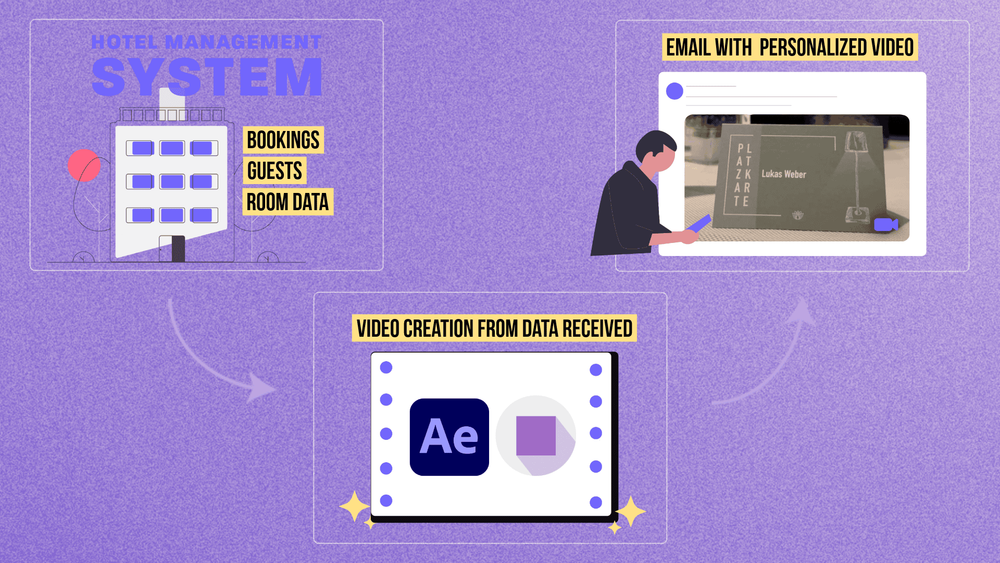
Torben founded Videohebel to help hotels welcome guests with personalized videos. His automated pipeline retrieves daily reservations from the hotel's PMS, sends guest names to Nexrender for rendering, and delivers custom welcome videos via email—completely without manual intervention.
By automating the process, Nexrender provides the option to send personalized videos at scale. Instead of manually changing images, text, and logos in each video, Nexrender uses your After Effects templates and data, such as user names, product images, and messages. This automatically generates hundreds and thousands of unique versions of the video.
We recommend using user data such as name, location, gender, language, purchase history, interests, or previous brand interactions in personalized videos. Nexrender allows you to automatically load this data into an After Effects template and change the text, images, colors, or audio, according to each user.
As many as you want! Nexrender is designed to support generating an unlimited number of videos in parallel, whether you're making 10 or 10,000 personalized versions of the same template. Scalable cloud infrastructure automatically distributes the queue and scales resources, ensuring the process remains fast and stable regardless of scale.
The prices depend on several factors: the amount of rendering, delivery speed, the number of videos rendered simultaneously, and any need for special plugins or custom effects. The billing process is quite flexible, enabling the client to pay for what is actually used.
Nexrender allows you to generate MP4 and MOV videos, with or without transparency. There are also PNG and JPG images, as well as GIF animations. You can create modified AEP versions of your projects and generate HTML banners based on the Lottie format. All resolutions are supported - from standard social media formats to 4K and specific custom dimensions.