AI Video Marketing: How Brands Use AI to Create Video at Scale
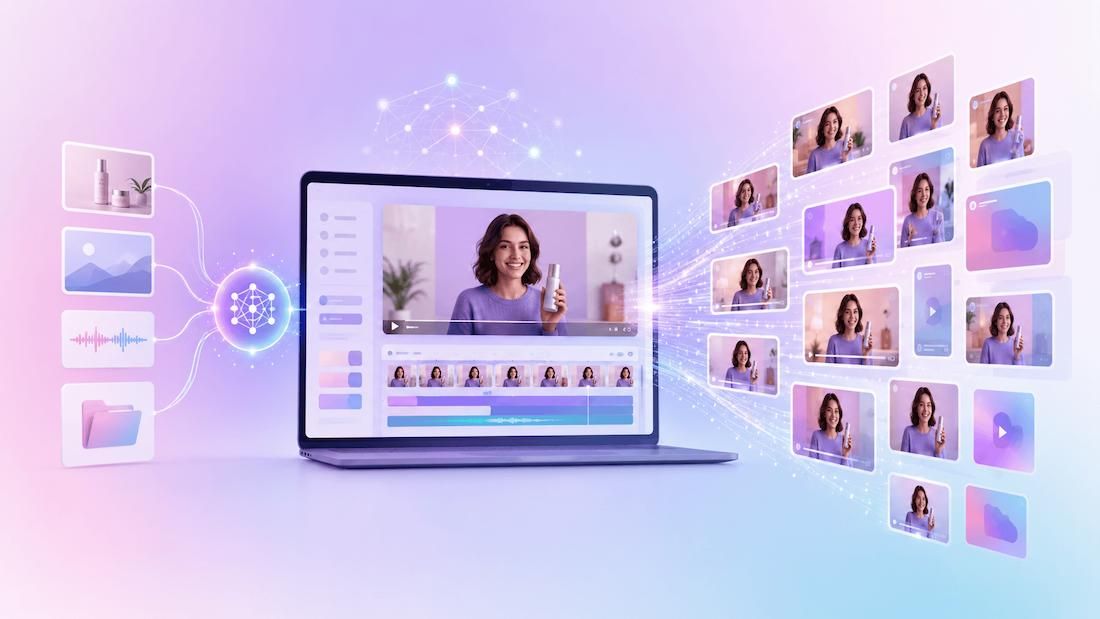
Last year, a campaign might have needed a dozen videos. This year, one campaign may need dozens of versions for different markets, products, languages, and channels.
The automated parts of the video production process are:
- time and time again
- scriptwriting
- voice-overs
- creation of images and of rough cuts
- conversion of video formats
- localization
For example, Coca-Cola and Adobe launched Project Fizzion in May 2025. The project is an AI system that learns from designers' workflows and automatically generates on-brand assets across 200+ markets.
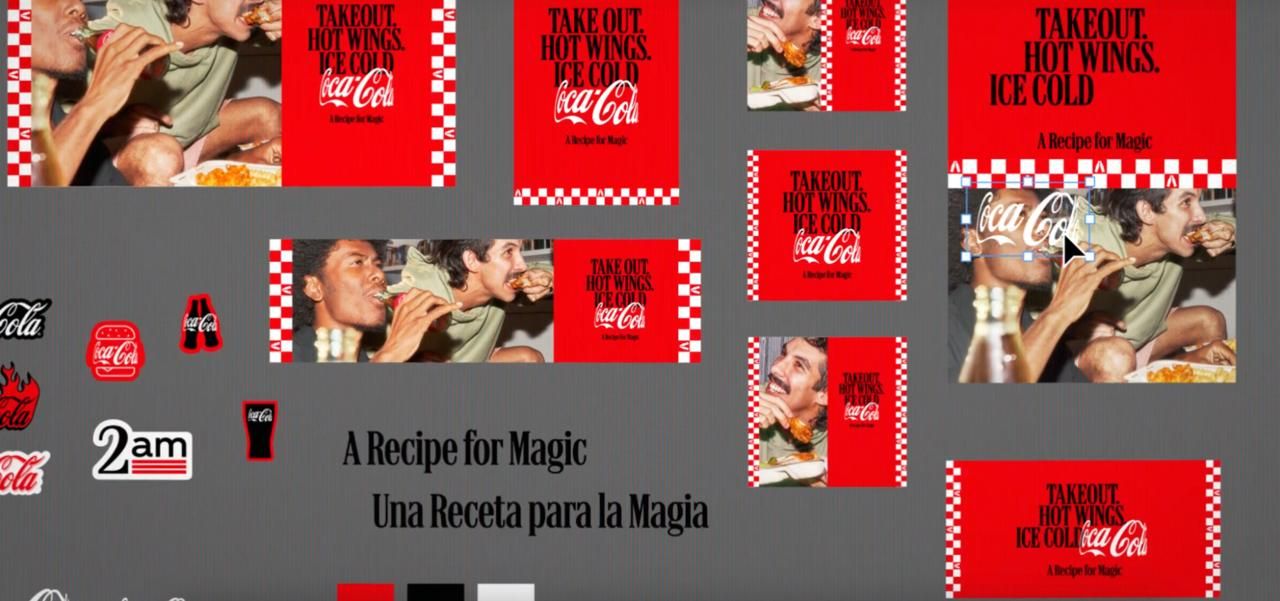
Teams produce content up to 10 times faster without compromising quality or brand integrity.
However, after the AI has generated the basic video assets, human review and the necessary rendering infrastructure are required to produce the final, polished video.
This guide explains the basics of AI in video marketing and how automation and human skills can be put together for producing thousands of single personal video clips.
What is AI video marketing?
AI video marketing is the use of artificial intelligence to automate video production from scripting and asset generation to editing, localization, and rendering in order to create content faster and at greater scale than traditional workflows allow.
The term covers two distinct things:
- AI-generated content: scripts, synthesized voiceovers, generative imagery.
- AI-assisted production workflows: systems that combine those assets with brand templates and automation to produce finished, distributable video.
Human oversight remains essential. AI cannot enforce brand identity, confirm accuracy, or make creative decisions. The strongest AI video marketing workflows use AI for execution and keep humans in control of strategy.
How do brands use AI to create videos at scale?
Brands use AI video marketing by breaking production into discrete stages (scripting, asset generation, rendering, and distribution) and automating each stage with tools that connect to a shared template and data pipeline.
The practical workflow most teams follow looks like this:
AI prompt

↓

Script

↓

Images / Voice

↓

After Effects template

↓

Nexrender rendering

↓

Thousands of personalized videos
Here's what happens at each stage:
- AI-generated scripts. Language models generate first-draft scripts from a product brief, audience persona, or campaign parameters. A retailer running a seasonal promotion can generate unique scripts for every product category in minutes, rather than briefing a copywriter for each one.
- AI voice generation. Text-to-speech tools produce a voiceover without booking studio time or talent. In 2026, AI voice is a practical default for product explainers, onboarding videos, and localized variants, so human voiceover remains stronger for brand campaigns where warmth is critical.
- AI image and footage generation. Generative image tools produce product visuals, scene backgrounds, and marketing imagery at speed. For ecommerce, this means being able to generate lifestyle imagery for every SKU rather than shooting each product separately. For SaaS, it means creating demo visuals for every feature or persona without a design bottleneck.
- AI-assisted editing. AI editing tools automate subtitle generation, silence trimming, scene detection, and multi-format resizing. These are not creative decisions, they are technical tasks that previously consumed significant editor time and can now run automatically.
- Automated rendering of personalized video variations. This is where AI marketing video creation connects to production infrastructure. Nexrender takes AI-generated assets, places them into reusable After Effects templates, and renders the final videos. It can create millions of variations and automatically deliver the finished files to different platforms and channels. See the guide to automating video rendering in After Effects for a full walkthrough.
What are the biggest benefits of AI video marketing?
The core benefit of AI video marketing is the ability to produce more video content: more personalized, at lower cost per output, without proportionally increasing team size or production budget.
| Feature | Traditional video production | AI-powered video marketing |
|---|---|---|
| Production speed | Days or weeks per campaign | Hours or minutes using AI-assisted workflows |
| Personalization | Manual creation of each version | Dynamic, personalized videos generated automatically at scale |
| Cost | Higher: filming, editing, production resources | Lower: automating repetitive tasks and reusing templates |
| Scalability | Limited by team capacity and timelines | Scales to hundreds or thousands of video variations |
| Manual effort | High: multiple editing and review stages | Reduced through AI generation and automated rendering |
| Brand consistency | Depends on manual execution across teams | Maintained through standardized templates and assets |
| Localization | Separate production required per language | AI adapts scripts, voiceovers, and text for multiple markets |
| Campaign turnaround | Slow to update or iterate quickly | Rapid testing and iteration for new campaigns |
Traditional production cycles run four to eight weeks. AI compresses this into days or hours, enabling teams to ship 30 campaign variants instead of 2.
AI tailors visuals, hooks, and calls to action based on industry, location, or behavior. The personalized video marketing guide covers the mechanics, and the hyper-personalized marketing overview explains where this approach is headed.
Where does AI still need automation tools?
AI generates scripts, images, and voiceovers, but not finished videos. That requires templates, rendering engines, and automation systems that composite assets against branded motion graphics, render at the correct spec per channel, and version outputs across an entire campaign.
The specific infrastructure requirements are:
- Template-based rendering. Reusable After Effects templates define the brand motion framework. AI-generated assets populate the variable zones while the template maintains visual consistency.
- Dynamic asset replacement. Product images, headlines, prices, and customer names swap into the correct template layer automatically, driven by a data source.
- Video versioning. A campaign may need 16:9, 9:16, and 1:1 formats across six language markets. The guide on rendering multiple versions from an After Effects template covers how to handle this automatically.
- API-based automation. Rendering jobs trigger from data events, for example, a new product listing, a CRM record without a designer initiating each render manually.
- Scalable rendering infrastructure. Producing 5,000 personalized videos for a campaign launch requires distributed cloud rendering, not a local machine.
Why use Nexrender for AI video marketing?
Nexrender is a video automation tool that connects AI-generated assets and dynamic data to Adobe After Effects templates, producing personalized branded videos at scale through API-driven rendering jobs.
Creating AI-generated assets is only part of the workflow. Nexrender handles the final production stage which is rendering personalized Adobe After Effects videos at scale using reusable templates and APIs. It bridges the gap between AI content creation and finished, distributable video output.
Here is what Nexrender specifically enables in AI video marketing:
- Adobe After Effects automation. Nexrender processes After Effects compositions programmatically, with no manual editing sessions per output. The user chooses which template to use, specifies which assets to substitute, and where to deliver the finished file.
- API support. Jobs can be triggered by any upstream system: a product catalog update, a CRM event, or a custom data pipeline
- Dynamic asset replacement. Text layers, image layers, and audio tracks update programmatically for each rendering, so a single template can generate product videos for every SKU, onboarding videos for every customer, or ad variants for every market.
- Cloud or self-hosted. Nexrender works on local infrastructure or distributed cloud instances, scaling rendering capacity with campaign volume.
- AI workflow integration. Nexrender accepts job parameters via the dashboard or API. AI-generated scripts, voiceovers, and imagery are fed directly into rendering jobs without manual file handling between systems.
What are the best AI video marketing tools?
The best AI video marketing tools cover different stages of production, including content generation, editing, and rendering automation. They work best when they are connected into a single pipeline rather than used in isolation.
Here is how the category breaks down:
- Script and content generation. Large language models (ChatGPT, Claude, Gemini) are the standard for generating marketing scripts, email video copy, and localized text variants. Most teams use these directly via APIs or through marketing platforms that have them embedded.
- AI voiceover and audio. Tools like ElevenLabs, Murf, and Descript generate natural-sounding voiceovers from text in multiple languages and voice styles. As of 2026, these are production-ready for most marketing video use cases.
- AI image and footage generation. Midjourney, DALL-E, Runway, and Pika generate imagery and short video clips from text prompts. For product marketing, these tools reduce dependency on photography shoots for every SKU or campaign.
- AI-assisted editing. Tools like Descript, Kapwing, and Adobe's Sensei-powered features automate subtitle generation, silence removal, multi-format resizing, and rough cut assembly.
- Rendering automation. For teams building After Effects-based video pipelines, Nexrender is the final production step and serves as the AI video marketing automator. It takes AI-generated assets (voiceovers, text, graphics), dynamically places them into an After Effects template, and renders the final video or image. It is designed for high-volume rendering and integrates easily with existing production workflows.
The most effective AI video marketing tools stack is not a single platform that does everything adequately; it is a pipeline where each stage is handled by the right tool, connected via API. For most marketing teams, that means AI tools for content generation upstream, and Nexrender as the rendering infrastructure downstream.
Summary
AI video marketing works when AI-generated content such as scripts, voiceovers and images, connects to automated rendering infrastructure that turns those assets into finished, branded videos at scale. For teams building After Effects-based pipelines, Nexrender is the rendering automation tool that enables that connection.